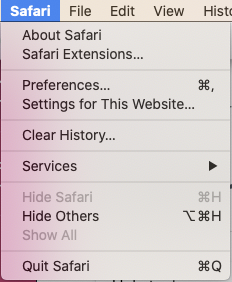
1. Click the 'safari' button in the top left corner of the screen
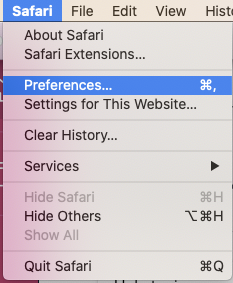
2. Select 'preferences' from the dropdown menu
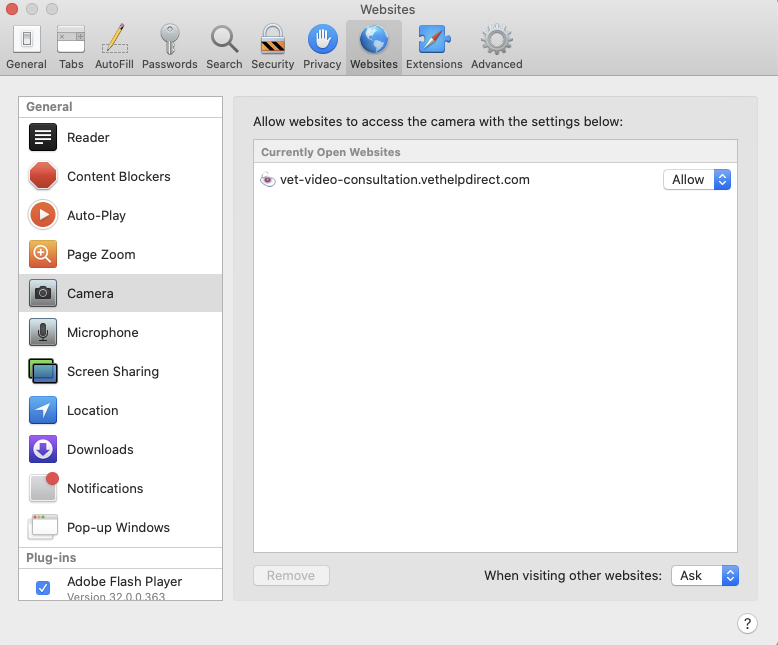
3. Under 'camera' or 'microphone' select 'allow' for permissions

Modified on: Thu, 14 Jan, 2021 at 12:27 PM
1. Click the 'safari' button in the top left corner of the screen
2. Select 'preferences' from the dropdown menu
3. Under 'camera' or 'microphone' select 'allow' for permissions
Did you find it helpful? Yes No
Send feedback