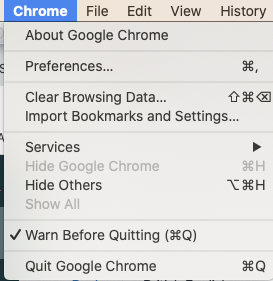
1. Click 'chrome' in the top left hand corner of the screen
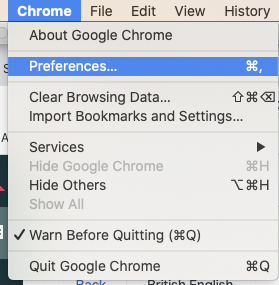
2.Click 'preferences' from this drop down menu
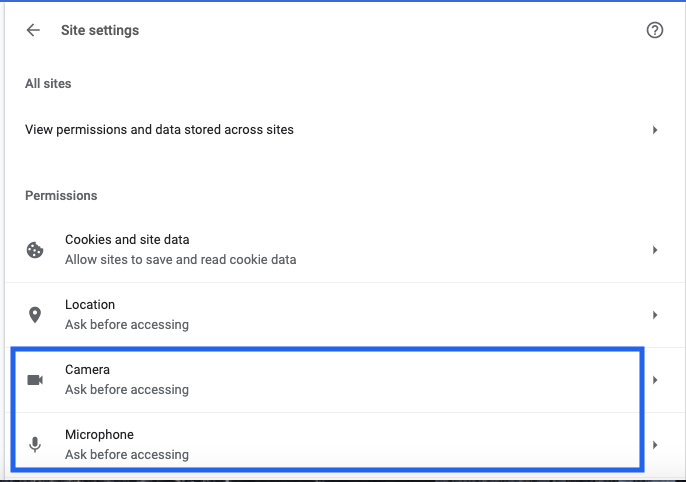
3. In settings, click 'site settings' 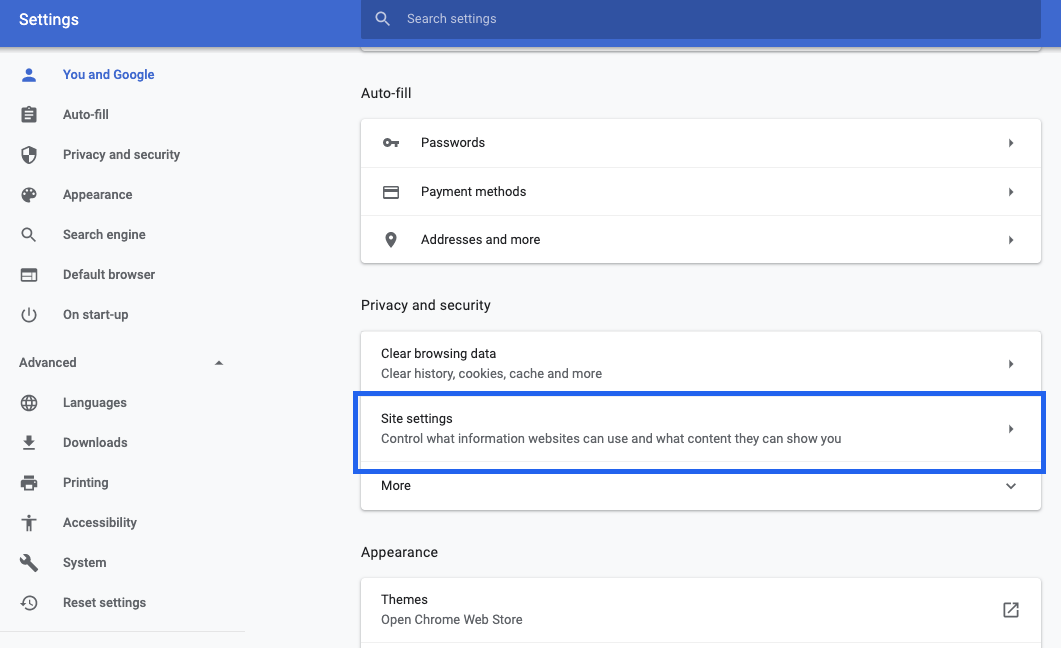
4. Select 'camera' or 'microphone
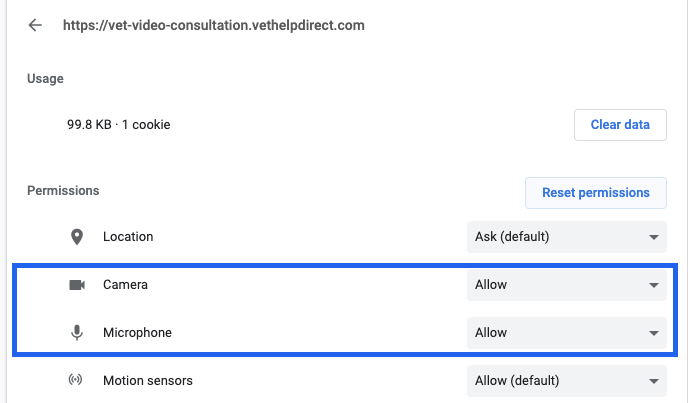
5. Search the 'vet-video-consultation.vethelpdirect.com' URL and select it
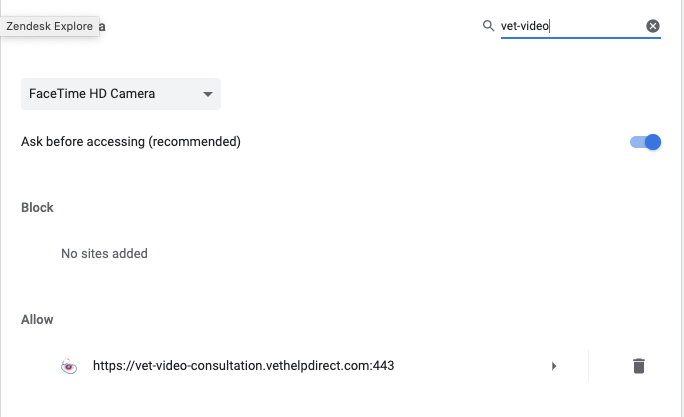
6. Change the camera/microphone settings on this site from 'ask' to 'allow'